Ordered recovery
Session blocking, deferral, configured retries, and operator-driven replay coordinate the failure path.
NimBus connects business systems on Azure Service Bus, tracks message processing, and gives operators a web console to investigate failures and resume blocked work.
For teams integrating CRM, ERP, billing, and other systems where the next message depends on the last.
With a shared order session at the receiving endpoint, NimBus coordinates what happens after a processing failure.
If payment processing blocks the session, later messages in that session are deferred. Other sessions can continue.
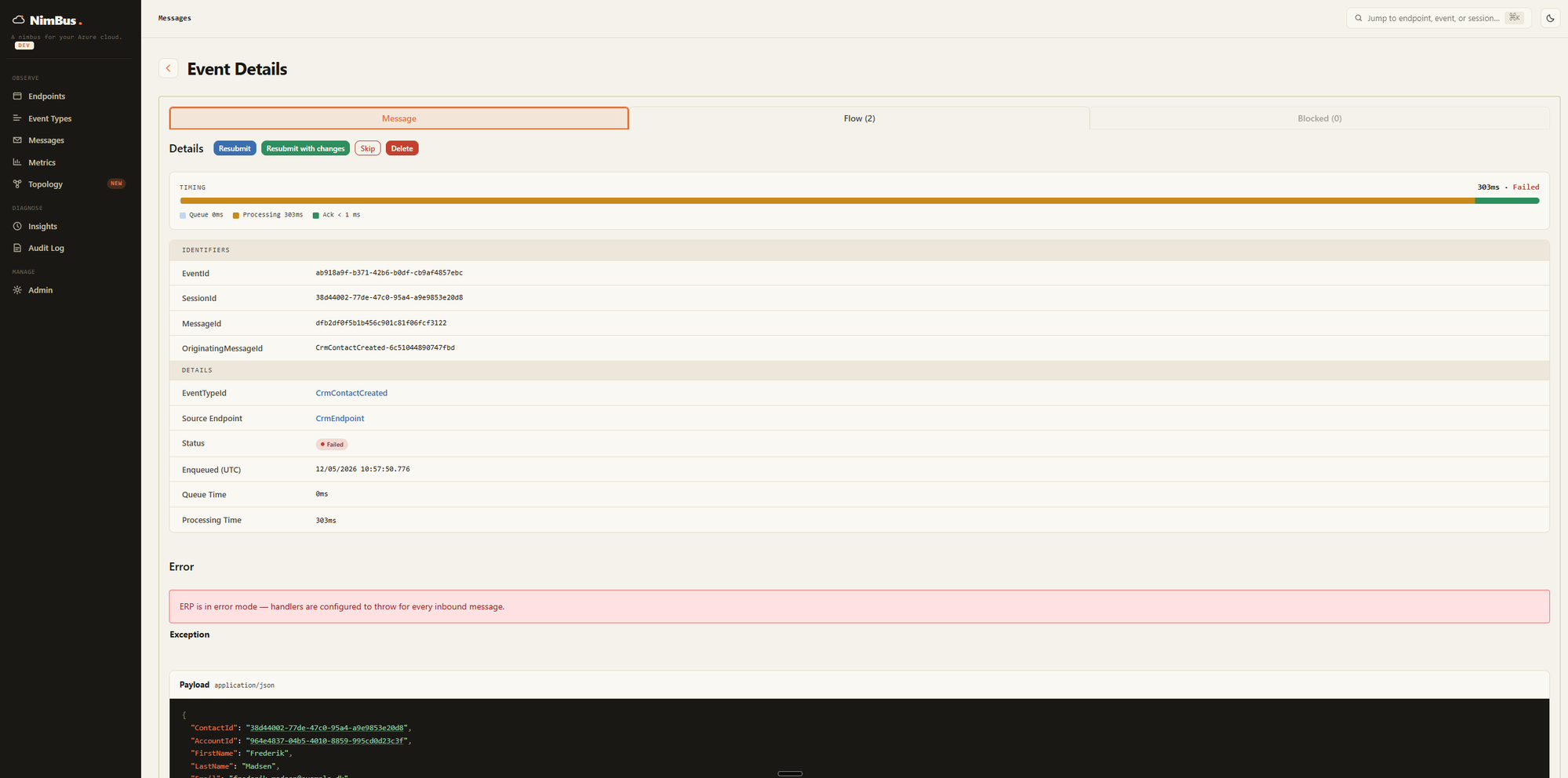
Inspect the failed message and its processing history in the WebApp. Repair the underlying problem, then resubmit, or deliberately skip the failed work.
Once recovery unblocks the session, its deferred messages replay in sequence.
Service Bus provides transport and sessions. NimBus brings application processing, recovery, and operations together.
Session blocking, deferral, configured retries, and operator-driven replay coordinate the failure path.
The Resolver records processing outcomes so operators can investigate failures across endpoints.
A typed .NET SDK, declarative topology, deployment CLI, and management WebApp support developers and operators.
An eight-minute walkthrough follows one customer account between two systems, through a failure, and back to processing after operator recovery.
Jump to failure and recovery (2:33) · Explore the interactive simulation
Write adapters that publish business events and handle incoming events. Deploy NimBus alongside your applications in your own environment.
The Resolver records processing outcomes in SQL Server or Cosmos DB. The WebApp reads that history and provides recovery actions. Workers and Azure Functions can host your handlers; the CLI provisions topology and deploys platform services.
Ordering is scoped to a session at a receiving endpoint. Applications should keep handlers idempotent; optional outbox and inbox features address specific delivery and redelivery risks.
How the platform works →The CRM/ERP sample runs with the NimBus Service Bus emulator and SQL Server. No Azure account is needed for the default configuration. NimBus is MIT-licensed; production infrastructure runs in your own environment.